
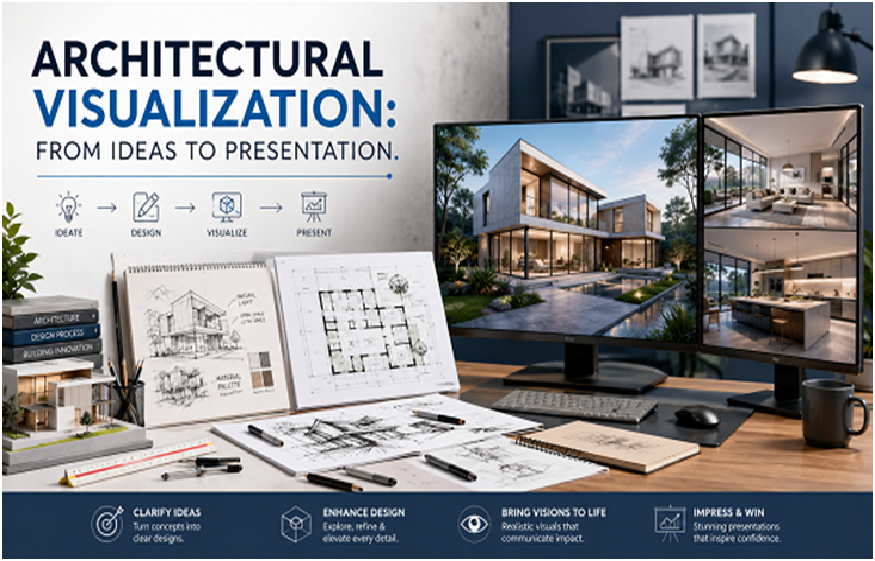
Architecture begins with ideas, but those ideas must eventually become understandable to clients, project teams, investors, and other decision-makers. Floor plans and technical drawings contain important information. However, many people find it difficult to imagine the finished building from two-dimensional documents alone.
We use architectural visualization to help turn design information into clear visual experiences. Depending on the project, this may include 3D models, exterior views, interior images, presentation models, rendered scenes, or other visual materials. Therefore, visualization can support design discussions as well as project presentations.
However, strong visualization should do more than make a project look attractive. It should represent the design clearly and support the specific purpose of the presentation. Therefore, the process needs accurate source information, thoughtful modeling, suitable materials, lighting, and careful visual composition.
How Architectural Visualization Begins
Professional architectural visualization services usually begin with a review of the available design information. We may use floor plans, elevations, sections, sketches, BIM models, CAD files, material references, landscape information, or design notes. Therefore, understanding the source material becomes the first important step. Next, we define the purpose of the visualization. For example, a design team may need images for an internal review. Meanwhile, a developer may need presentation visuals for a project meeting. Similarly, an architect may need a 3D presentation model to communicate form, scale, and material choices. The purpose affects the level of detail and visual style.
Turning 2D Information Into 3D Form
Many visualization projects begin by building or refining a three-dimensional model. The model may include walls, windows, doors, roofs, floors, façade elements, furniture, landscape components, and other visible features. Therefore, accurate modeling matters. A beautiful rendering built from incorrect geometry can misrepresent the design. Consequently, we compare model information with the latest drawings and design documents before developing final presentation views.
Key Takeaways
- Architectural visualization helps clients and teams understand a design before construction begins.
- Accurate geometry, materials, lighting, and viewpoints matter more than visual effects alone.
- Visualization can support design review, stakeholder communication, marketing presentations, and project decisions.
Why Clients Often Need Visual Presentation Tools
Architects and engineers read technical drawings every day. However, many clients do not. Therefore, a floor plan may not communicate ceiling height, room depth, façade character, or the relationship between materials. A 3D visualization can make these conditions easier to understand. For example, a client may see how a lobby connects with nearby spaces. Likewise, they may understand how windows affect an exterior elevation. As a result, design discussions can become more specific.
Exterior Architectural Visualization
Exterior visualization focuses on the outside of the building. This may include façade materials, windows, roofs, entrances, landscape elements, site surroundings, and other visible features. Therefore, exterior images can help teams study overall building character. They can also show how the building relates to the site. For example, an exterior view may reveal whether an entrance feels clear or hidden. Similarly, it can help teams review scale and material combinations.
Interior Architectural Visualization
Interior visualization focuses on the experience inside a building. This may include flooring, ceilings, walls, furniture, lighting, fixtures, and finishes. Therefore, interior views can help teams understand atmosphere and spatial relationships. For example, a client may compare two lobby material options. Likewise, an architect may review whether a ceiling design works with lighting and furniture. The visualization can support these discussions before final selections occur.
Choosing the Right Viewpoint
The camera position has a major effect on how a design is understood. Therefore, viewpoint selection should not be random. A good exterior view may show the main entrance and building form clearly. Meanwhile, an interior view should help the viewer understand space rather than simply create dramatic perspective. We often think about what question the image should answer. For example, does the team need to understand the façade? Does the client need to review the reception area? Does the presentation need to show how several spaces connect? The answer guides the camera angle.
Materials and Surface Appearance
Materials help viewers understand the design character. Stone, glass, wood, concrete, metal, fabric, and paint each interact with light differently. Therefore, visualization needs appropriate material representation. However, the goal is not always perfect photorealism. In early design, simpler materials may help teams focus on massing and form. Later, more detailed materials can support finish discussions. Consequently, visual detail should match the project stage.
Lighting and Atmosphere
Lighting can dramatically change the appearance of the same design. Natural daylight may make spaces feel open and bright. Meanwhile, evening lighting may emphasize interior warmth and exterior fixtures. Therefore, lighting should support the intended presentation. However, overly dramatic lighting can hide important design information. We aim to keep the building understandable. The presentation should enhance the design rather than distract from it.
Visualization During Design Development
Architectural visualization can support the design process itself. For example, teams may compare façade options. They may study different materials. They may also review changes to windows, entrances, interior layouts, or lighting. Therefore, visualization does not need to wait until the design is finished. Instead, it can become a design-review tool. This allows teams to see how decisions affect the overall building.
Helping Stakeholders Understand the Project
Large projects may involve owners, investors, planning teams, facility managers, contractors, and other stakeholders. Not everyone has the same technical background. Therefore, visual presentations can create a shared point of reference. For example, a 3D image may make it easier to explain how a new addition connects with an existing building. Similarly, a site visualization may help stakeholders understand access and surrounding context. Clear communication can support faster and more informed discussions.
Presentation Modeling and BIM
Presentation models can also connect with BIM workflows. A BIM model may already contain much of the building geometry. Therefore, teams can sometimes use that information as a starting point for presentation development. However, BIM models and visualization models have different purposes. A BIM model may focus on technical information, while a presentation model may focus on visible details. Consequently, some adjustment may be needed before producing final visual images.
Avoiding Misleading Visuals
Visualization can look very realistic. Therefore, teams should avoid creating images that suggest decisions have been finalized when they have not. For example, landscape details, furniture, finishes, or surrounding context may still be conceptual. Clear communication about these elements matters. Moreover, visualizations should reflect the design information available at the time. If the project changes later, older visuals may no longer represent the current design. Therefore, version control remains important.
The Role of Architectural BIM
Visualization and BIM often support different parts of the same project. An experienced architectural BIM company may support architectural modeling, documentation, presentation development, and related digital workflows. Therefore, teams can benefit when visual and technical information comes from a coordinated source. However, project requirements should remain clear. A presentation model should not automatically be treated as a construction model, and a technical BIM model may not automatically be ready for high-quality visualization. Understanding these differences helps teams use each model correctly.
Visualization for Design Approvals
Project teams often need to present design options before receiving approval. For example, a client may need to choose between several façade materials. Likewise, an internal design team may need to compare interior concepts. Visualization can make these choices easier to understand. Therefore, images can support decision-making by showing differences in context rather than presenting isolated samples. This can make approval discussions more focused.
Read More: How to Plan Your Kitchen Upgrade with the Right Granite Countertop Investment
Visualization for Marketing and Communication
Architectural visuals can also support project communication before construction is complete. Developers, architects, and project teams may use images in presentations, proposals, websites, or planning materials. However, the visual style should match the purpose. A technical design review may need clear and simple images. Meanwhile, a marketing presentation may need more refined lighting, landscaping, and finishes. Therefore, one visualization approach does not fit every need.
Common Visualization Mistakes
One common mistake is focusing on visual effects before confirming the design. If geometry is incorrect, even a beautiful image can create confusion. Another mistake is using too many decorative elements. Therefore, people, cars, plants, and furniture should support the design rather than hide it. In addition, unrealistic lighting or materials can create false expectations. Consequently, accuracy and clarity should remain central to the process.
Keeping the Process Efficient
Visualization becomes easier when project information is organized. Therefore, teams should provide current drawings, clear material references, and specific presentation goals. Frequent uncontrolled design changes can increase rework. As a result, it helps to define review stages. For example, teams may first approve geometry and viewpoints. Afterward, they can review materials and lighting. This step-by-step process can reduce unnecessary revisions.
Final Thoughts
Architectural visualization helps transform technical design information into images that more people can understand. It can support design reviews, stakeholder meetings, material decisions, presentations, and project communication. However, effective visualization depends on more than rendering quality. We need accurate geometry, suitable materials, clear viewpoints, appropriate lighting, and a defined presentation purpose. Therefore, architectural visualization works best when it becomes part of the wider design process. When teams use it carefully, visual communication can help everyone understand the project more clearly before construction turns the design into a physical building.